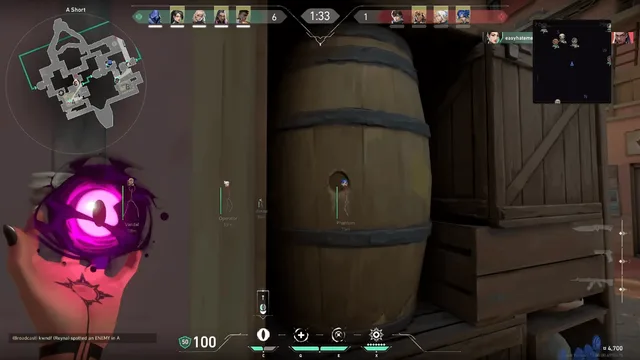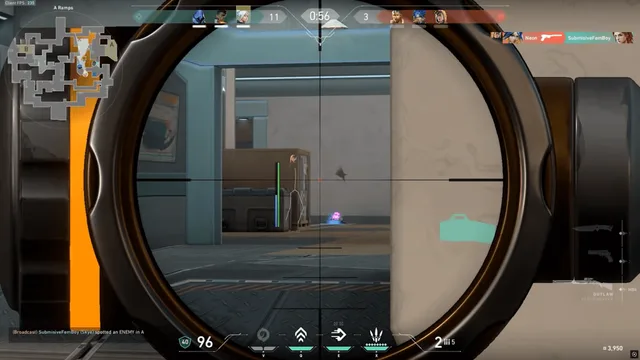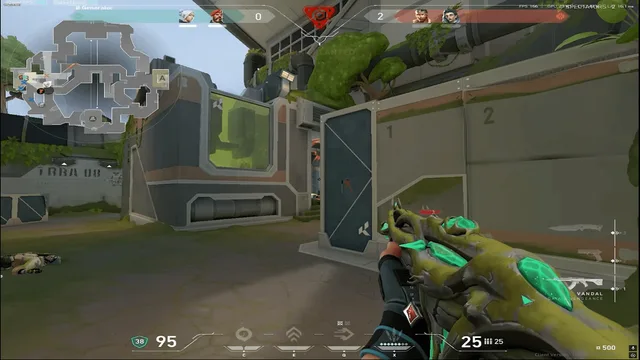

Streamproof mode on Valorant Cheats hides overlays from OBS, Discord, and most capture cards while keeping them visible to you. It is a capture setting — not anti-detection. Vanguard and player reports still apply.
Enable streamproof
Toggle in the mod menu on Pro or Elite. Test with your exact streaming stack before going live.
Test workflow
- Record 30 seconds of ranked with OBS or Discord stream
- Confirm no boxes or menu appear on recording
- Check second PC preview if you use dual-PC capture
- Verify browser radar on side monitor if used
Common mistakes
Hardware capture cards reading raw HDMI may still show composited overlays. Test your cable chain. See ESP guide for low-visibility colors on stream even when hidden from capture.
Ranked vs content
Use a lighter legit profile on stream days. Aggressive ESP colors distract viewers even when capture-hidden.
Valorant Cheats publishes setup guides on valorantcheat.net after every major Valorant patch. Check Discord status and the live banner on our homepage before you queue ranked with any private build.
Private software in Valorant carries account and hardware risk. We document conservative profiles, streamproof options, and recovery paths so you understand what you are buying before checkout on valorantcheat.net.
Compare Lite, Pro and Elite tiers on our blog, then confirm module lists on each product page — feature access differs by tier and updates with Vanguard changes.
Support on Discord runs around the clock for loader issues, config tuning, and licence questions. Open a ticket through our support page if a guide does not cover your setup.
Every guide on valorantcheat.net links back to verified products — Valorant tiers, HWID Spoofer, and Unlock All. Avoid random downloads from search results; stale builds are the fastest path to a ban.
Valorant rounds reward crosshair placement, utility timing, and trade discipline. Cheats raise your floor on mechanics and information — they do not replace comms or agent knowledge. Use modules to reduce fatigue mistakes, not to ignore macro.
Streamers should enable streamproof overlays and test OBS or Discord capture before every broadcast. Streamproof hides visuals from capture; it does not affect Vanguard detection or player reports in ranked.
After a hardware ban, stop creating new accounts until you read the HWID spoofer guide or accept the cost of new hardware. Repeated account churn without spoofing wastes money and flags behaviour patterns.
Unlock All and combat tiers serve different buyers. If you only want skins, buy Unlock All alone. If you need ESP or aimbot, start with Lite or Pro and skip cosmetic-only tools.
Patch days demand patience. When status shows updating, do not inject old loaders — follow the Vanguard patch-day checklist and wait for the Valorant Cheats all-clear on Discord.
Legit-style configs use narrow aim FOV, medium smoothing, chest-first bone priority, and trigger delays that match human reaction times. Our ranked legit settings article is the default starting point for Pro and Elite users.
Free downloads promising undetected valorant cheats or valorant aimbot free builds are reposted long after Vanguard detects them. Read free cheats risks before touching unknown files outside valorantcheat.net.
Valorant Cheats publishes setup guides on valorantcheat.net after every major Valorant patch. Check Discord status and the live banner on our homepage before you queue ranked with any private build.
Private software in Valorant carries account and hardware risk. We document conservative profiles, streamproof options, and recovery paths so you understand what you are buying before checkout on valorantcheat.net.
Compare Lite, Pro and Elite tiers on our blog, then confirm module lists on each product page — feature access differs by tier and updates with Vanguard changes.
Support on Discord runs around the clock for loader issues, config tuning, and licence questions. Open a ticket through our support page if a guide does not cover your setup.
Every guide on valorantcheat.net links back to verified products — Valorant tiers, HWID Spoofer, and Unlock All. Avoid random downloads from search results; stale builds are the fastest path to a ban.
Valorant rounds reward crosshair placement, utility timing, and trade discipline. Cheats raise your floor on mechanics and information — they do not replace comms or agent knowledge. Use modules to reduce fatigue mistakes, not to ignore macro.
Streamers should enable streamproof overlays and test OBS or Discord capture before every broadcast. Streamproof hides visuals from capture; it does not affect Vanguard detection or player reports in ranked.
After a hardware ban, stop creating new accounts until you read the HWID spoofer guide or accept the cost of new hardware. Repeated account churn without spoofing wastes money and flags behaviour patterns.
Unlock All and combat tiers serve different buyers. If you only want skins, buy Unlock All alone. If you need ESP or aimbot, start with Lite or Pro and skip cosmetic-only tools.